PokéPath TD 1.3 Update Guide and FAQ - New Features and Common Questions
Author: POKEPATH.IO
Last Updated: January 4, 2026
This article is reprinted from pokepath.io. Original article: https://pokepath.io/strategy/version-1-3-guide
Hi everyone, this is POKEPATH.IO. Following version 1.2.7, PokéPath TD has received a major update! In this article, POKEPATH.IO will break down this update into 3 parts:
Worried about your save data? Check the FAQ section (Q6, Q7) for answers about save compatibility and migration.
Version 1.3 brings three major updates to PokéPath TD:
1.1 Updated Map Visuals
All 9 route maps have received visual updates! The new map designs provide a fresh look while maintaining the same strategic gameplay you know and love.
1.2 New Pokémon and Equipment System
- 20 New Pokémon – Including 41 different forms, expanding your team-building options significantly.
- New Equipment System – A brand new feature that allows you to equip items on your Pokémon!
- 50 New Equipment Items – Various equipment pieces to enhance your Pokémon's abilities.
If you're unsure how to equip items on your Pokémon, check the FAQ section below.
1.3 Challenge System
A new Challenge System has been added for players seeking greater challenges. This provides additional endgame content and higher difficulty challenges. We'll cover the Challenge System in detail in Part 2 below.
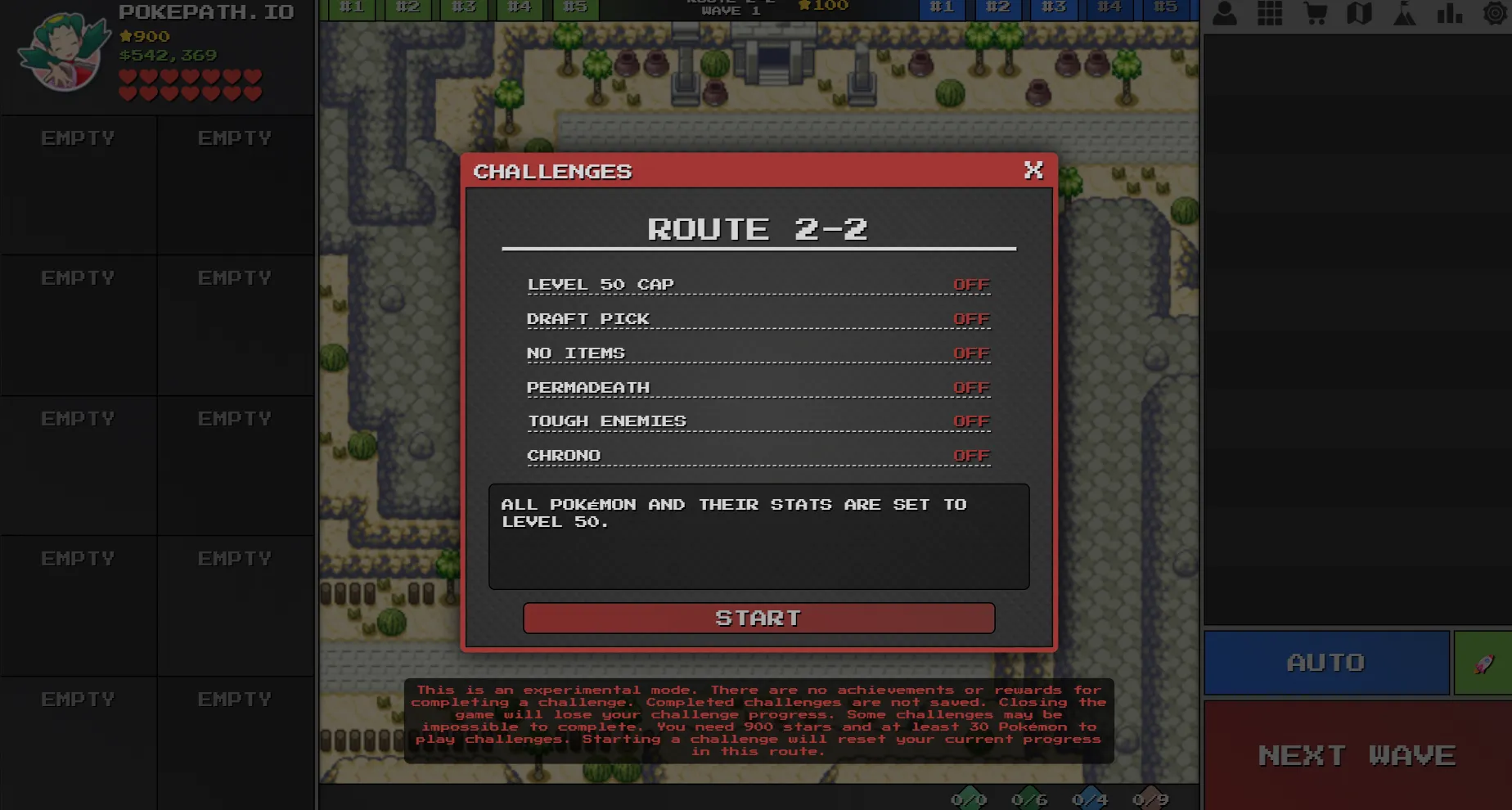
As shown in the image above, the Challenge Mode has the following toggle options:
LEVEL 50 CAP
As the name suggests, this option caps your Pokémon's maximum level at 50. Pretty straightforward.
DRAFT PICK
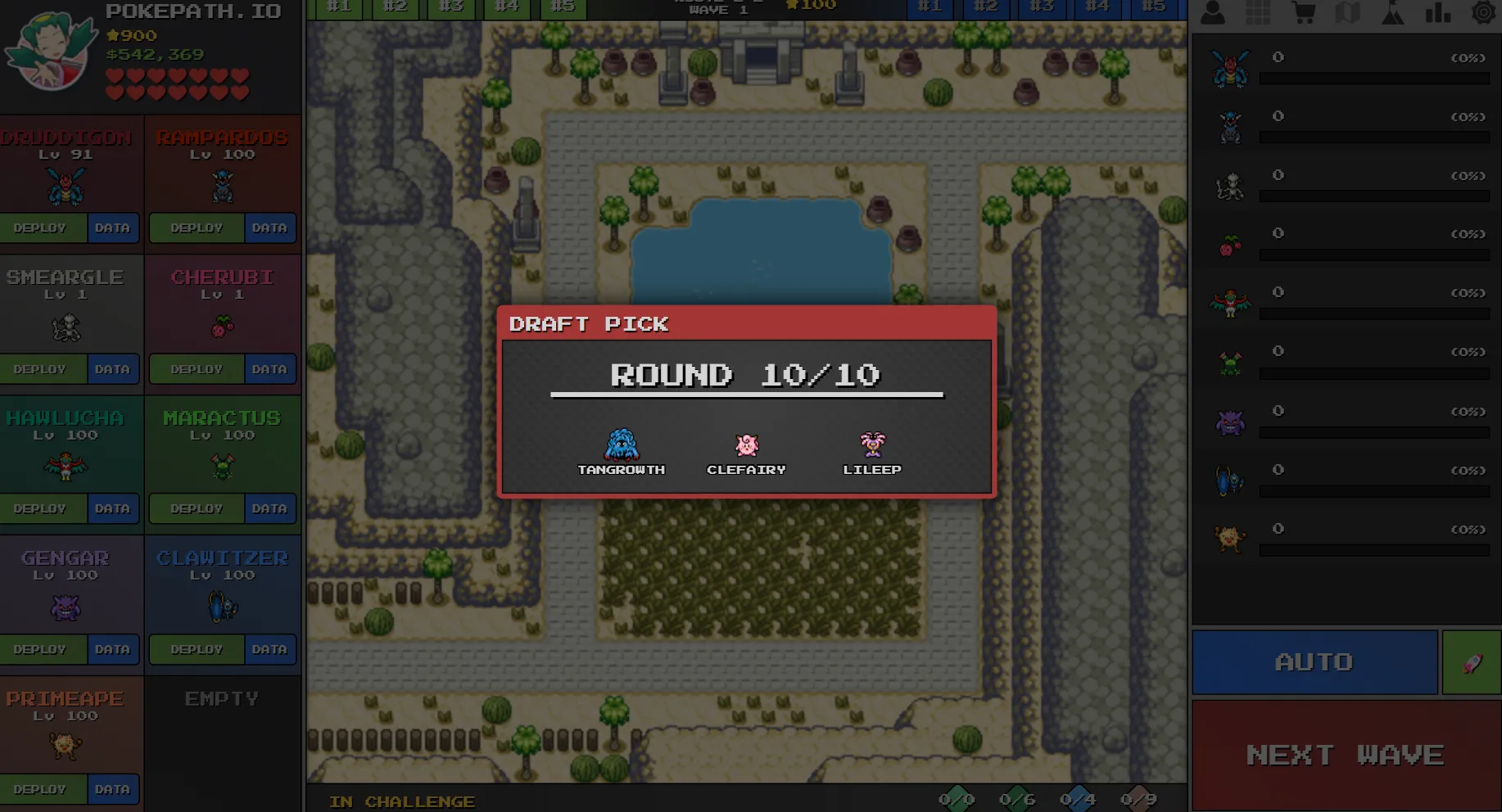
When this mode is enabled, each Pokémon slot will present you with 3 choices to pick from. This process repeats 10 times, allowing you to draft a team of 10 Pokémon.
NO ITEMS
When enabled, Pokémon cannot equip any equipment items.
PERMADEATH
With this option enabled, players cannot retry — there's no restart button available. Under this rule, healing Pokémon become extremely important for survival.
TOUGH ENEMIES
This option increases enemy stats by 50% HP and damage, making battles significantly harder.
CHRONO
Enables a timer for the run, designed for speedrun players who want to track their completion time.
Q1: Where can I download the desktop version?
A1: If you're on PC, you can find the download button on the right side card of the homepage. If you're on mobile but still want to download the desktop version, visit https://khydra98.itch.io/pokepath to download.
Q2: Where do I equip items on my Pokémon? I can't find it!
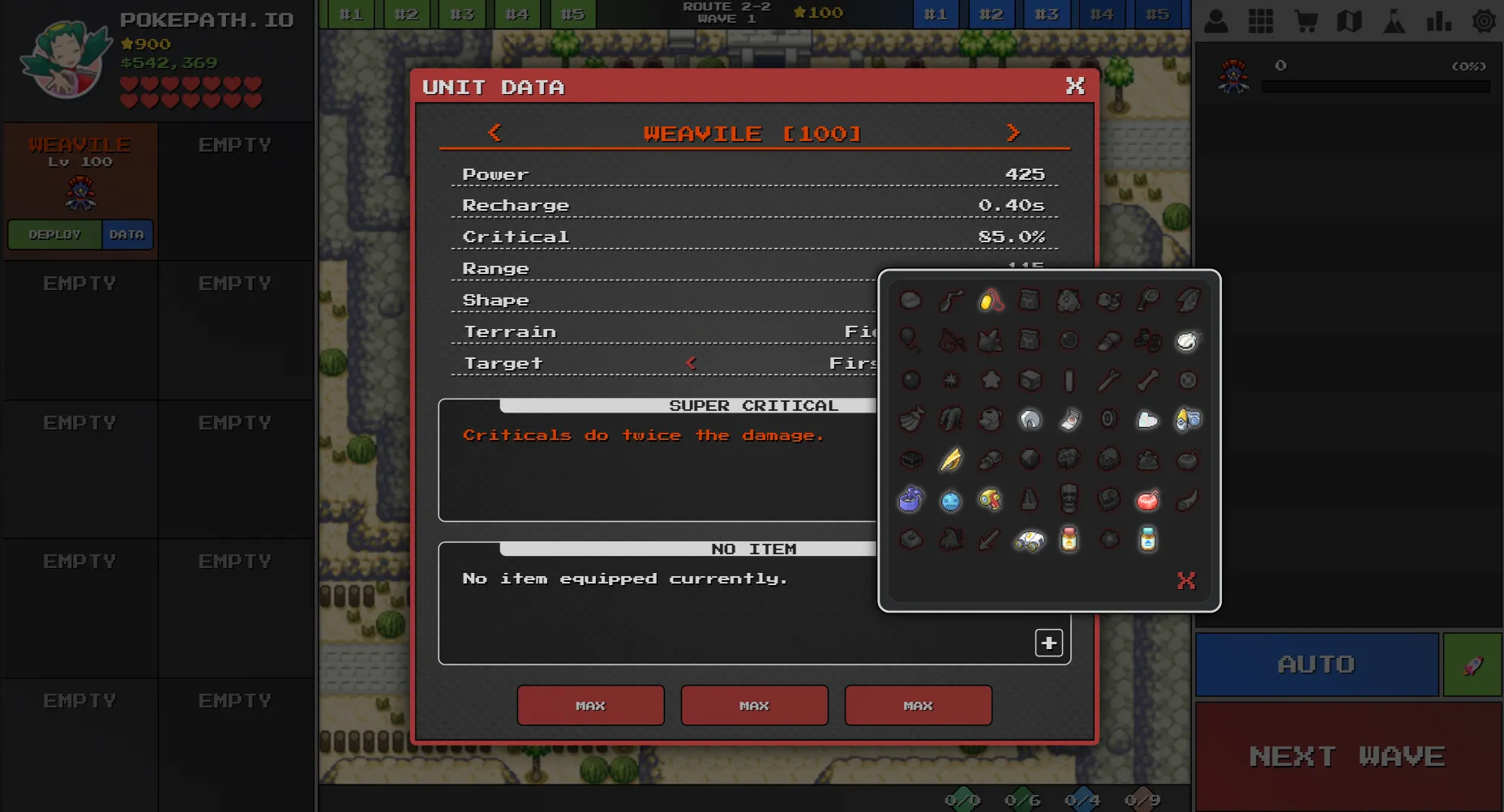
A2: Go to your Pokémon roster (not the backpack). Click on DATA to view the Pokémon's detailed info. You'll see a + button in the bottom-right corner of the ITEM section. Note: Pokémon that are already deployed won't show this + button — you need to retire the Pokémon first.
Q3: I'm playing the desktop version. How do I update, and will I lose my save data?
A3: Your save data will be preserved if you do it correctly. Using Windows as an example: save data is typically stored in the AppData folder on your C: drive, separate from the game files. To update, simply delete the old game folder and install the new version. Important: Don't open multiple game windows at the same time, as this may overwrite your previous save data.
Q4: What's the best team composition after this update?
A4: The route difficulty in the new version hasn't changed, so you can still use our previous Best Team Build guides:
- Part 1: Route 1 (ARTICUNO, ZAPDOS, MOLTRES)
- Part 2: Route 2 (RAIKOU, ENTEI, SUICUNE)
- Part 3: Route 3 (REGIROCK, REGICE, REGISTEEL)
However, in Challenge Mode, enemies are significantly stronger and your Pokémon are weaker. POKEPATH.IO is planning to release a new guide series for the best team compositions in Challenge Mode.
Q5: Why don't I see features that people discuss in the community? I'm playing the browser version.
A5: As of January 4, 2026, the browser version on other websites is still on version 1.2.5. Most community discussions and guides are about version 1.3 content, which is why you might feel out of the loop. If you want to experience the latest features, you can play on pokepath.io or download the desktop version.
Q6: Can I use my v1.2.5 save data in v1.3.3?
A6: Yes, absolutely! Simply go to v1.2.5, click the settings icon in the top-right corner, and export your data. Copy or download the code string (note: this code contains all your save data). Then go to v1.3.3, open settings, and import your code.
Q7: Can I export save data on mobile? My clipboard isn't long enough!
A7: For mobile, we recommend using Google Chrome to play. When exporting data on mobile, select the download option instead of copying. A .txt file will be downloaded to your Google Chrome browser. Then open v1.3.3, and when importing your save, select this downloaded file.
Q8: Can I use save data from other websites on pokepath.io?
A8: Yes, absolutely! The save code is essentially your save data encoded in base64. The code string itself represents your complete save data, so it works across any website hosting the game.
Have More Questions? If you have questions that aren't answered here, feel free to contact us. We'll add common questions to this FAQ.
This article is brought to you by POKEPATH.IO. Stay tuned for more updates and strategy guides!
Play PokéPath TD now and experience the new features!